Aetna’s commission statements come in various formats and are published across multiple platforms. Below are the types of statements, along with their descriptions:
- Aetna (Producer World – Agent):
A statement available for download by individual agents on the Producer World portal. It covers commissions for MAPDs and PDPs.
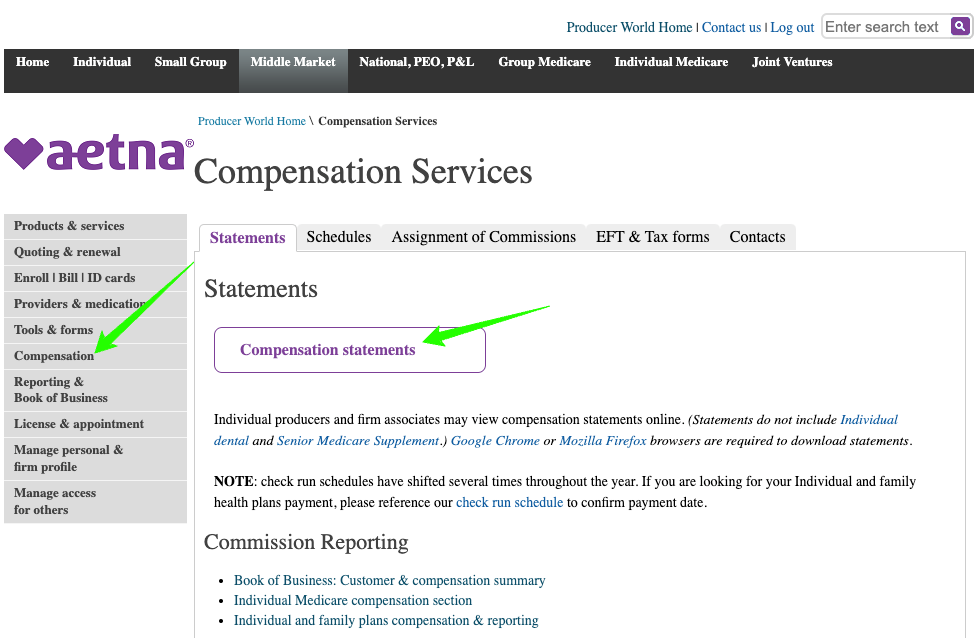
(Click to enlarge)
In Producer World, select “Compensation” from the left menu.
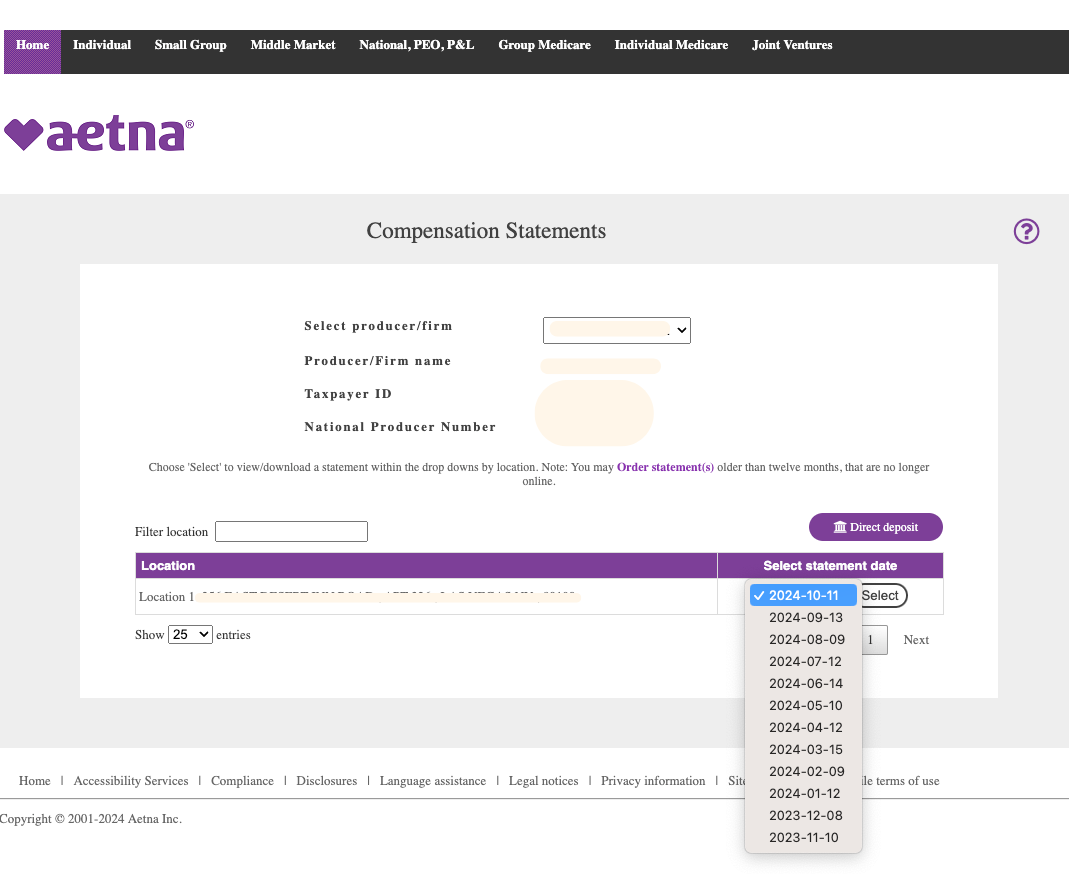
Select a statement date.
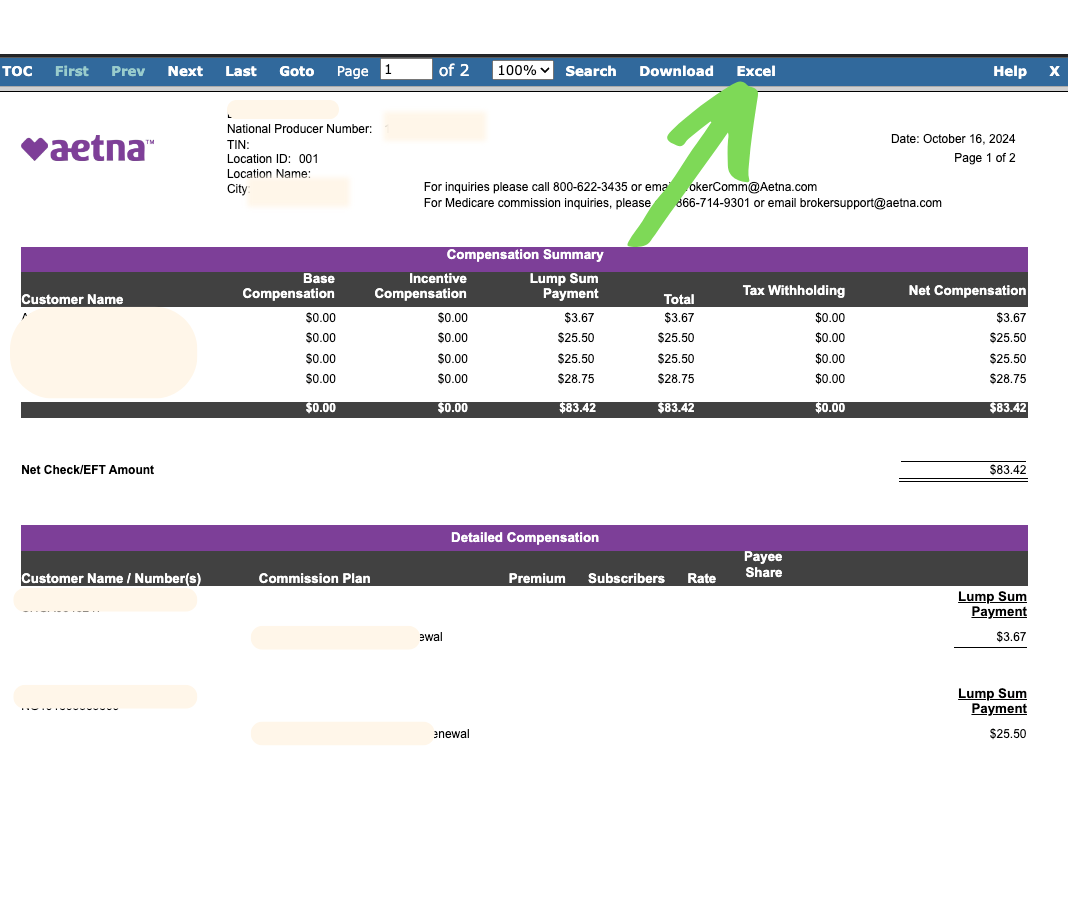
Click “Excel” to download. Done! That file is ready for ComTrack to digest.
2. Aetna (Producer World – Agency):
This statement is accessible to agencies through Producer World and includes commissions for MAPDs and PDPs. It reflects street-level commissions and overrides paid directly to the agency.
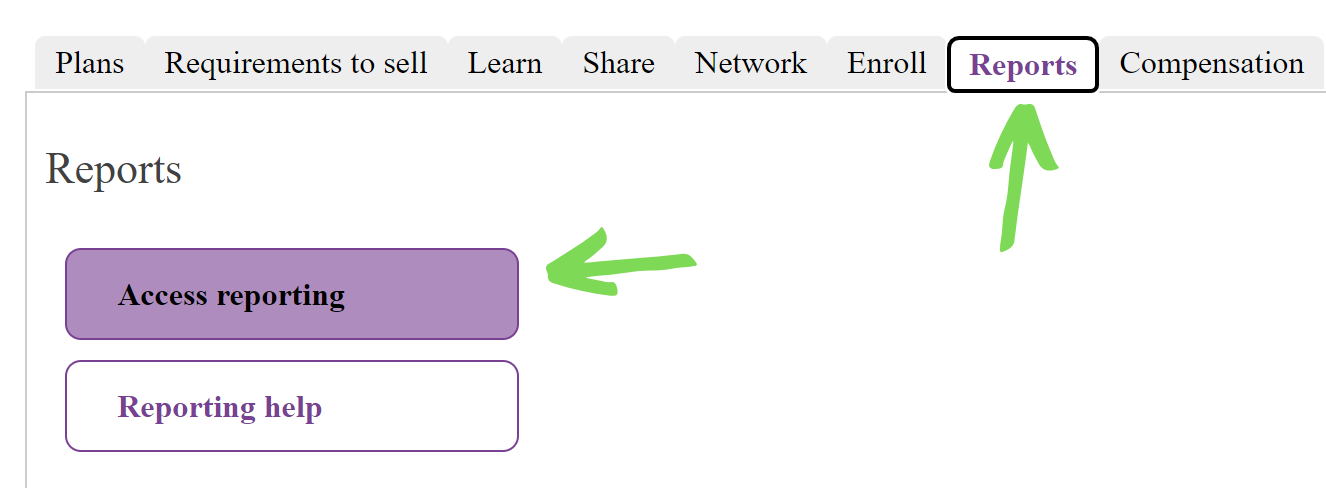
(Click to enlarge)
In Producer World, select “Reports” and then “Access Reporting”.
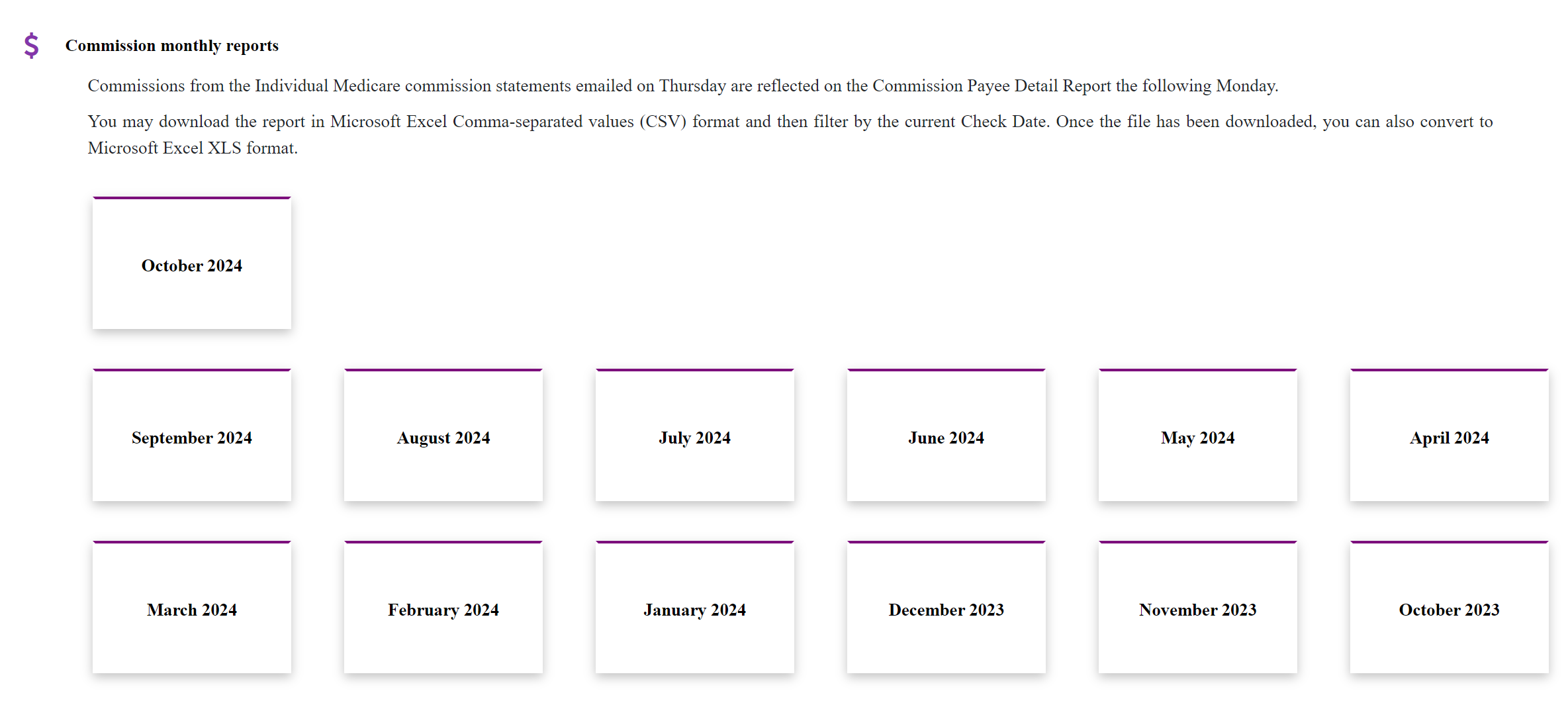
Select a statement date. Then download the statement as Excel format. Done! That file is ready for ComTrack to digest.
3. Aetna (Agency PDF via Email):
A statement sent exclusively to agencies by email which includes street-level commissions and overrides paid directly to the agency.
-
- Download the PDF file and use our converter to convert it into an Excel (.xlsx) format. The converted .xlsx file is ready for ComTrack to digest.
4. Aetna SSI statement:
This refers to commission statements related to Medicare Supplements, life insurance, and other ancillary products offered through Aetna’s SSI umbrella. Below are the subsidiaries under Aetna SSI:
-
- CLI – Continental Life Insurance Company of Tennessee
- ACC – Accendo Insurance Company
- AHLIC – Aetna Health and Life Insurance Company
- AHIC – Aetna Health Insurance Company
- ACI – American Continental Insurance Company
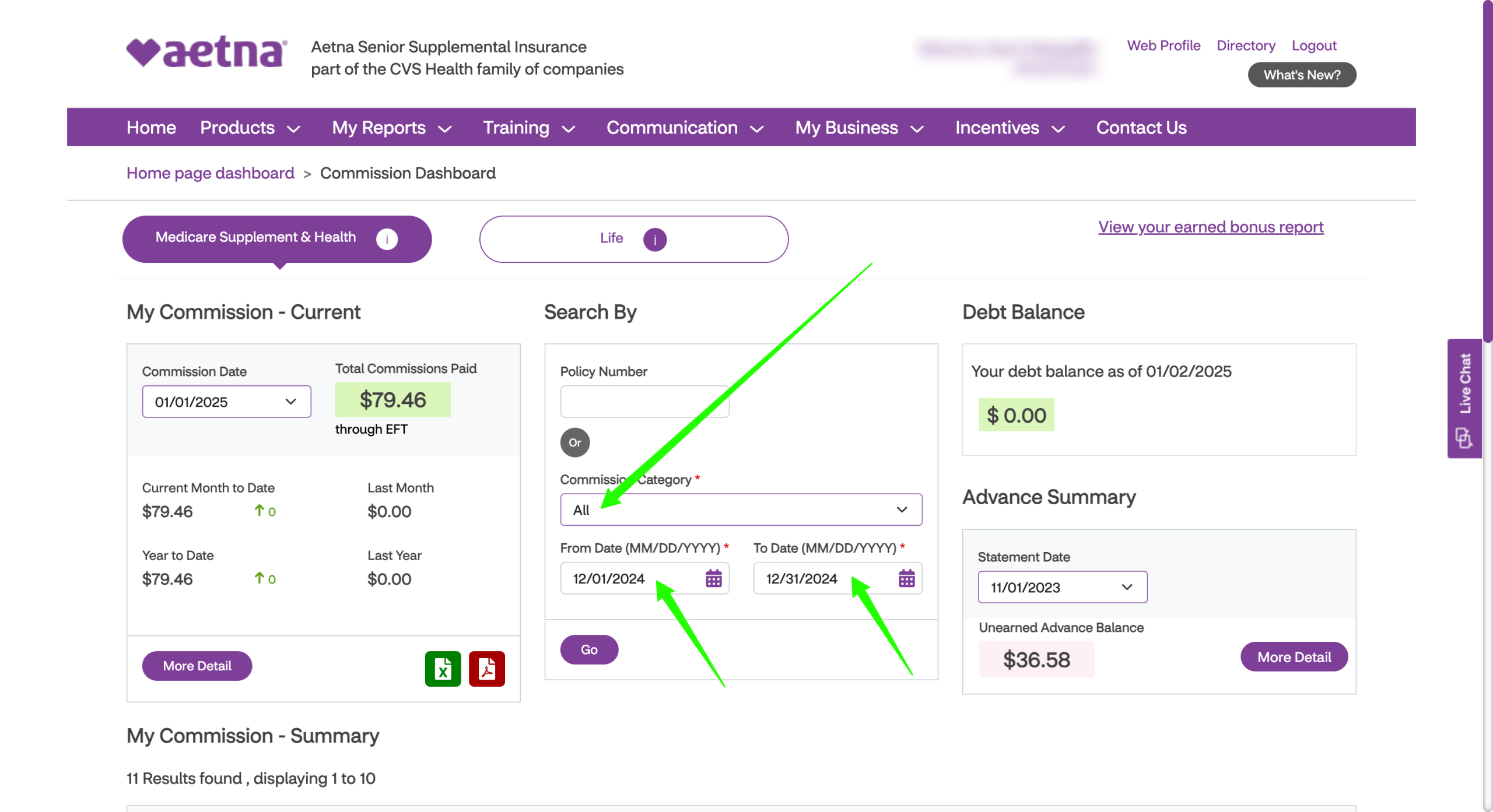
To download the statement, visit aetnaseniorproducts.com and
(Click to enlarge)
In your Commission Dashboard use the middle module. Select “All” and the date range.
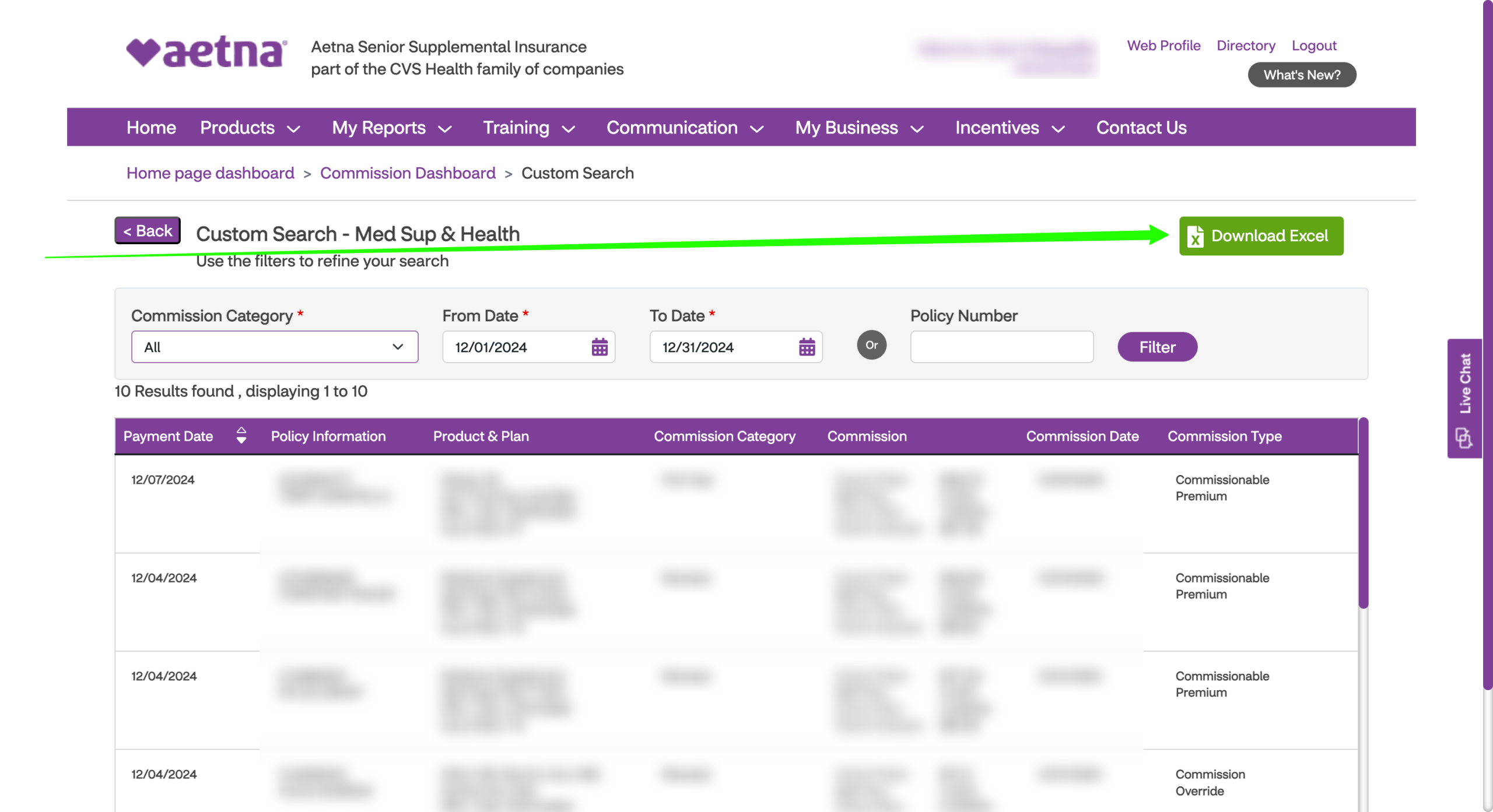
Once the report is generated, click “Download Excel”!
This file is ready to be digested by ComTrack.